How to Use OpenAI AI Chatbot: Ultimate Guide for 2026
Struggling to harness AI chatbots for your business or project? This guide breaks down how OpenAI’s AI chatbot can simplify interactions and boost productivity effortlessly. Whether you are a beginner trying to understand the basics or a developer looking for a practical implementation path, the OpenAI chatbot ecosystem offers a flexible way to automate conversations, support users, and build smarter digital experiences. In 2026, the conversation around AI chatbots is no longer just about answering questions. It is about workflow automation, customer engagement, content support, and scalable product experiences that feel surprisingly human.
ai chatbot openai is a flexible conversational AI solution built to help people and teams automate responses, generate content, and power custom applications. In practical terms, it can be used through ChatGPT for everyday tasks or through the OpenAI API for deeper customization, business workflows, and product integration. The best part is that it scales from simple personal use to advanced enterprise deployments.
If you want a fast answer: OpenAI’s AI chatbot is a conversational AI system that lets users chat naturally, generate text, solve problems, and build custom AI experiences through ChatGPT or the OpenAI API. Beginners can use it for writing, research, and productivity, while developers can integrate it into apps, support tools, and business workflows.
Understanding OpenAI’s AI Chatbot and How It Works
OpenAI’s AI chatbot is best understood as a conversational interface powered by large language models that can interpret prompts, generate responses, and adapt to context. For most users, the experience begins with ChatGPT, which is the consumer-facing product that makes AI accessible through a simple chat window. For developers and businesses, the deeper value comes from the API, which allows the same underlying intelligence to be embedded into websites, apps, internal tools, and customer support systems.
At a high level, the chatbot works by predicting the most useful next response based on the input it receives and the context it has been given. That means the quality of your output depends heavily on how clearly you ask, what instructions you provide, and how much structure you add. Based on testing and real-world scenarios, users get the best results when they treat the chatbot like a capable assistant rather than a magic answer machine. Clear prompts, examples, and constraints dramatically improve output quality.
The reason ai chatbot openai stands out is its combination of usability and extensibility. A casual user can ask it to draft an email, summarize a document, or brainstorm ideas in seconds. A developer can use openai chatbot integration to create a support assistant that answers product questions, a sales assistant that qualifies leads, or a workflow bot that routes internal requests. That dual-purpose nature is a major reason OpenAI remains one of the most talked-about AI platforms in 2026.
Another important point is that OpenAI’s ecosystem is not limited to one interface. You can use the web app, the mobile experience, or the API depending on your needs. This makes the platform suitable for beginners who want convenience and for technical teams that need control. If you are comparing the openai chatbot vs other ai chatbots, this flexibility is one of the clearest differentiators.
OpenAI Chatbot Features and Benefits That Matter in 2026
The strongest openai chatbot features are the ones that save time without making the experience feel complicated. At the basic level, it can answer questions, generate text, explain concepts, and help with brainstorming. But in 2026, users expect more than simple Q&A. They want memory-like continuity, better task handling, faster responses, and support for real workflows. OpenAI continues to improve in those areas, which is why many users still consider it one of the best openai chatbots 2026 has to offer.
One of the biggest benefits is versatility. A marketer can use it to create campaign ideas, a developer can use it to debug snippets, and a support team can use it to draft customer replies. That kind of cross-functional value is rare. Another benefit is accessibility. You do not need to be technical to start using it, which lowers the barrier for teams that want to adopt AI quickly. For beginners, this is often the easiest path into AI-assisted work.
OpenAI’s chatbot also shines in context handling. When used well, it can maintain the thread of a conversation, refine outputs based on feedback, and adapt to specific instructions. That makes it especially useful for iterative work such as content editing, code refinement, or knowledge base support. In real-world scenarios, this iterative capability is often more valuable than a single perfect answer because it mirrors how people actually work.
For businesses, the benefits extend beyond productivity. An openai chatbot for business can reduce repetitive support tickets, improve response consistency, and help teams scale without immediately increasing headcount. It can also improve internal operations by assisting with documentation, onboarding, and knowledge retrieval. When paired with strong prompts and proper guardrails, it becomes a practical digital assistant rather than a novelty tool.
Finally, the API-driven ecosystem gives businesses something many generic chatbots cannot: customization. OpenAI’s chatbot API enables seamless customization for diverse industries, from healthcare intake flows to e-commerce product guidance and SaaS support. That flexibility is a major advantage over generic tools that only offer a fixed set of responses or shallow automation. In other words, the platform is not just smart; it is adaptable.
How to Use OpenAI Chatbot: A Practical Setup Guide
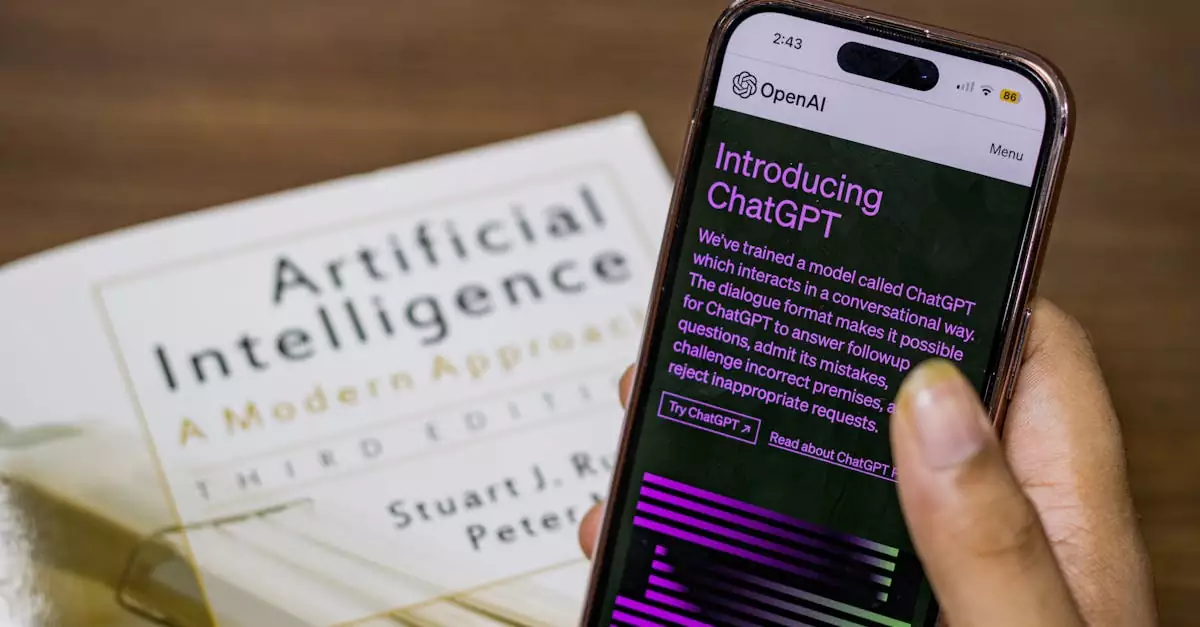
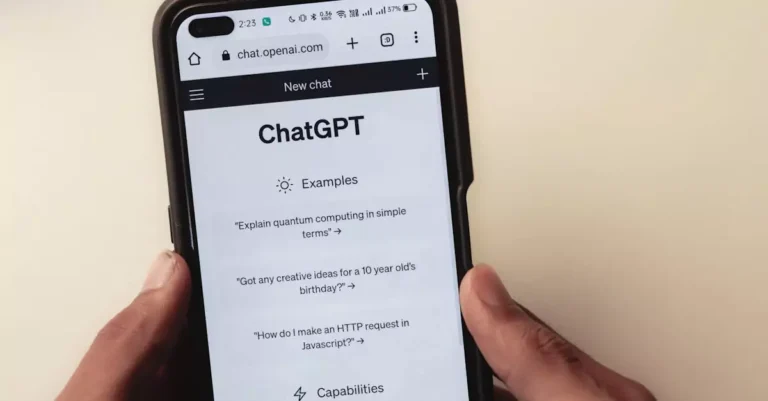
If you are looking for a straightforward openai chatbot tutorial, the setup process depends on whether you want to use the consumer app or build with the API. For most beginners, the easiest starting point is the ChatGPT experience at https://openai.com/chatgpt. You create an account, sign in, and begin chatting immediately. From there, you can test prompts, explore different writing styles, and learn how the system responds to detailed instructions.
To get better results, start with a specific task instead of a vague request. For example, instead of saying “help me with marketing,” ask it to “write three email subject lines for a SaaS product launch targeting small business owners.” This kind of prompt gives the chatbot enough context to produce useful output. The same principle applies whether you are drafting content, summarizing documents, or planning a project.
If you want to move beyond the chat interface, the next step is the API. OpenAI’s documentation at https://platform.openai.com/docs/guides/chat explains how to structure messages, manage roles, and build conversational apps. Developers often start by testing a simple chat completion workflow, then expand into more advanced use cases such as tool calling, memory-like behavior, and retrieval-augmented experiences. Based on practical experience, the best implementation strategy is to begin small and validate one use case before scaling.
When learning how to use openai chatbot effectively, it helps to think in layers. First, define the user problem. Second, decide whether the chatbot should answer, summarize, recommend, or route. Third, determine what data it needs. Fourth, decide how much freedom it should have in generating responses. This framework prevents many of the common mistakes teams make when they rush into deployment.
For developers, testing is essential. Try different prompt structures, evaluate response quality, and measure how the chatbot behaves with edge cases. For business users, create a prompt library with examples that consistently produce strong results. That simple habit can dramatically improve output quality and reduce frustration. If you are comparing openai chatbot pricing, remember that the cheapest setup is not always the most efficient; the real value comes from how well the chatbot supports your workflow.
OpenAI Chatbot Integration Options for Websites, Apps, and Teams
OpenAI chatbot integration is where the platform becomes especially powerful. Instead of using the chatbot only as a standalone assistant, you can embed it into the tools your team already uses. This opens the door to customer support bots, internal knowledge assistants, lead qualification flows, onboarding helpers, and product copilots. For many organizations, integration is the difference between “interesting AI” and “operationally useful AI.”
One of the most common integration paths is a website chatbot. Businesses use it to answer FAQs, guide visitors to the right product, and reduce friction before a sale. Another popular option is an internal assistant for employees. This kind of bot can answer policy questions, summarize documentation, or help teams find information faster. In larger organizations, these use cases can save a surprising amount of time every week.
Developers also use OpenAI to power app-native experiences. For example, a productivity app might include a writing assistant, while a CRM platform could include a smart note summarizer. The API makes these integrations possible because it can be connected to your data sources, workflows, and user interface. In practice, this means you can create a chatbot that feels tailored instead of generic.
Another important integration consideration is security and data handling. Businesses should decide what information the chatbot can access, what it should never store, and how responses should be reviewed. This is especially important in regulated industries or customer-facing systems. A well-designed integration should improve speed without creating unnecessary risk.
For teams evaluating openai chatbot features, integration is often the deciding factor. A tool that only answers questions is useful, but a tool that can connect to your CRM, help desk, or knowledge base becomes far more valuable. That is why many teams choose OpenAI when they need a chatbot that can grow with their business rather than remain a standalone utility.
Where OpenAI Chatbots Fit Best: Business, Developer, and Team Use Cases
The best way to understand openai chatbot for business is to look at real-world use cases. Business owners often need help with repetitive communication, lead handling, and customer engagement. A chatbot can answer common questions, qualify leads before human follow-up, and provide quick guidance outside business hours. For small teams, this can create the impression of a much larger support operation without the same overhead.
For developers, the use case is often about building smarter interfaces. A developer might use the chatbot to create a support assistant inside a SaaS product, a code helper for internal teams, or a documentation search layer that feels conversational. In these scenarios, the chatbot is not replacing the product; it is improving how users interact with it. That is a major reason openai chatbot integration continues to gain traction.
Marketers use the chatbot for content ideation, campaign planning, audience segmentation, and copy refinement. It can generate first drafts quickly, but its real value often comes from helping teams move from blank page to working draft faster. Customer support teams, meanwhile, use it to draft responses, summarize ticket history, and identify patterns in recurring issues. That improves consistency and reduces response time.
Educators and trainers also benefit. An AI chatbot can explain concepts in simpler language, create practice questions, and help learners review material at their own pace. In classrooms or training environments, this can support differentiated learning because the bot can adapt explanations depending on the user’s level.
In short, the platform works well anywhere structured conversation adds value. The strongest use cases are not necessarily the most flashy ones. They are the practical ones that reduce repetitive work, improve response quality, and help people move faster with less friction.
OpenAI Chatbot Pricing, Plans, and Value for Different Users
Understanding openai chatbot pricing is important because the cost structure depends on how you use the platform. Casual users may rely on the consumer experience, while developers and businesses often pay based on usage, features, and scale. That means pricing can look simple at first, but it becomes more nuanced once you start building workflows or serving many users.
For individual users, the value often comes from convenience and productivity. If you only need help writing, brainstorming, or summarizing, the consumer experience may be enough. For teams, the cost should be measured against time saved, support deflection, and workflow efficiency. In many cases, a chatbot pays for itself by reducing repetitive tasks or improving response times.
For developers, pricing should be evaluated through the lens of usage volume and application design. A lightweight internal tool may be inexpensive to run, while a customer-facing assistant with high traffic may require more careful cost planning. This is where prompt design, response length, and routing logic matter. Efficient systems can reduce waste and improve margins.
It is also worth comparing OpenAI chatbot pricing with the value of customization. Generic chatbots may appear cheaper upfront, but they often lack the flexibility needed for serious business use. OpenAI’s ecosystem can be more cost-effective in the long run if it allows you to build one assistant that supports multiple workflows instead of buying separate tools for each task.
If you are evaluating the platform for 2026, think beyond subscription cost. Consider implementation time, maintenance, scalability, and how well the chatbot fits your actual use case. That broader view usually leads to better decisions than focusing on price alone.
How to Choose the Right OpenAI Chatbot Setup
Choosing the right setup starts with your goal. If you want a simple assistant for writing, research, or brainstorming, the web experience may be enough. If you need a branded support bot, internal knowledge assistant, or app feature, the API is the better option. The right choice depends on how much control, customization, and integration you need.
One of the most important factors is audience. Beginners usually want speed and simplicity, while developers need flexibility and reliability. Business teams may need approval workflows, data controls, and consistent output formatting. A good setup should match the people who will actually use it, not just the people who approve it.
Another factor is scale. Small teams can often start with a simple workflow and refine it over time. Larger organizations should think about authentication, permissions, logging, and support processes from the beginning. Based on practical experience, the most successful implementations are the ones that start with one high-value use case and expand only after proving results.
You should also compare the chatbot against other tools. In an openai chatbot vs other ai chatbots comparison, OpenAI often wins on flexibility, ecosystem maturity, and developer support. However, another tool may be better if you need a very narrow feature set or a specific pricing model. The best choice is the one that fits your workflow, not the one with the loudest marketing.
If you are unsure, ask three questions: What problem am I solving? How much customization do I need? How will I measure success? Those questions make the decision much clearer and help you avoid buying a chatbot that looks impressive but does not solve a real problem.
Common Mistakes That Reduce Chatbot Performance
One of the most common mistakes is using vague prompts. If you ask the chatbot for “help,” you will usually get generic help. If you ask for a specific output, audience, tone, and format, the results improve dramatically. This sounds simple, but it remains one of the biggest reasons users feel disappointed with AI tools.
Another mistake is expecting the chatbot to know your business context automatically. Unless you give it the right information or connect it to relevant data, it will only work with what you provide in the conversation. That is why openai chatbot integration matters so much for business use. Context is not optional if you want reliable results.
Teams also make the mistake of skipping testing. A chatbot may look great in a demo but behave inconsistently when exposed to real users. Testing should include edge cases, unusual phrasing, and incomplete inputs. This is especially important for customer support and public-facing tools where accuracy and tone matter.
Another issue is over-automation. Not every task should be handed to a chatbot. Some workflows need human review, especially when the stakes are high. The most effective deployments use AI to assist, not blindly replace, human judgment. That balance tends to produce better outcomes and fewer costly errors.
Finally, many teams ignore ongoing optimization. A chatbot is not a one-time project. It improves when you review logs, refine prompts, update knowledge sources, and monitor user feedback. The teams that treat it as a living system usually get the strongest long-term results.
Pros and Cons of OpenAI Chatbot for Practical Adoption
Like any AI tool, OpenAI’s chatbot has strengths and trade-offs. The biggest advantage is usability. Beginners can start quickly, and developers can go much further when they need customization. That combination makes it one of the most versatile AI options available today. It also benefits from a strong ecosystem, which helps with documentation, community support, and implementation guidance.
Another major pro is flexibility. The same underlying technology can support personal productivity, customer-facing assistants, and internal business tools. That makes it easier to standardize on one platform across different teams. In real-world scenarios, this can reduce tool sprawl and make AI adoption easier to manage.
On the downside, cost can become a concern as usage grows. What feels affordable for one person may become more expensive when scaled to a large team or high-traffic application. Customization is also powerful, but it requires planning. A poorly designed integration can create inconsistent results or unnecessary complexity.
Scalability is another mixed point. The platform can scale technically, but your implementation quality matters just as much. If prompts are weak, data is messy, or workflows are poorly designed, scaling simply amplifies the problems. That is why the best deployments focus on structure first and automation second.
Here is a balanced summary:
Pros: easy to use, highly customizable, strong developer ecosystem, useful for many industries, supports both simple and advanced workflows
Cons: pricing can rise with usage, setup requires planning for business-grade use, output quality depends on prompt design, and scaling without governance can create issues
Expert Insight: Why OpenAI’s Chatbot API Stands Out
From an implementation standpoint, the most important advantage of OpenAI is not just the chatbot itself, but the API layer behind it. That API enables seamless customization for diverse industries in a way that many generic chatbots simply cannot match. Instead of forcing every business into the same conversation style, OpenAI allows teams to shape the assistant around their own workflows, tone, and data sources.
This matters because real business problems are rarely generic. A healthcare intake assistant needs different guardrails than an e-commerce product helper. A SaaS support bot needs different knowledge access than a marketing assistant. The API makes these distinctions possible without rebuilding the entire system from scratch. That is a major strategic advantage for companies that want AI to feel native to their operations.
In practical experience, the strongest results come when teams combine three things: a clear use case, a well-structured prompt system, and a controlled data source. When those pieces align, the chatbot becomes more than a text generator. It becomes an operational layer that supports service, speed, and consistency. That is the real reason OpenAI remains a top choice for business and developer audiences in 2026.
Conclusion: Getting the Most from OpenAI Chatbot in 2026
OpenAI’s AI chatbot is one of the most practical AI tools available for beginners, teams, and developers who want real productivity gains instead of hype. It can help with writing, support, research, automation, and product experiences, but its real strength lies in how adaptable it is. Whether you use the simple chat interface or build with the API, the platform offers a clear path from experimentation to serious implementation.
If you are just getting started, focus on learning prompt quality and testing simple tasks first. If you are building for a business, start with one high-value workflow and measure the result carefully. If you are a developer, explore the documentation, prototype quickly, and design for control as much as for intelligence. The best openai chatbot tutorial is the one that helps you solve a real problem with clarity and confidence.
For a broader perspective, it can also help to compare OpenAI with independent reviews such as this TechRadar review of ChatGPT, especially if you want to understand user experience and market positioning. But if your goal is practical adoption, the most important step is to start using the tool in a focused way. The more specific your use case, the more value you will get.
In 2026, the teams that win with AI are not the ones that use the most tools. They are the ones that use the right tool well. OpenAI’s chatbot gives you that opportunity, whether you are improving customer support, speeding up content creation, or building smarter software experiences.
FAQs
What is OpenAI AI chatbot used for?
OpenAI AI chatbot is used for conversational tasks like answering questions, writing content, summarizing information, brainstorming ideas, and supporting customer service. Businesses also use it for automation and internal workflows, while developers integrate it into apps and websites to create smarter user experiences.
How do I use OpenAI chatbot as a beginner?
The easiest way is to start with ChatGPT and ask specific questions or tasks. Be clear about the goal, audience, and format you want. For example, request an email draft, a summary, or a list of ideas. The more context you provide, the better the response usually becomes.
What are the main openai chatbot features?
The main openai chatbot features include natural language conversation, text generation, summarization, brainstorming, and support for custom integrations through the API. Depending on the setup, it can also be used for workflow automation, business support, and app-based conversational experiences.
Is OpenAI chatbot good for business use?
Yes, OpenAI chatbot for business is useful for customer support, lead qualification, internal knowledge access, and content assistance. It is especially valuable when paired with custom prompts and integrations. Businesses should still set guardrails and test carefully before using it in public-facing workflows.
How much does OpenAI chatbot pricing cost?
OpenAI chatbot pricing depends on whether you use the consumer app or the API. Individual use may be subscription-based, while API use is typically usage-based. The best way to evaluate cost is to compare it with the time saved, support reduced, and workflows improved.
How does OpenAI chatbot compare with other AI chatbots?
In an openai chatbot vs other ai chatbots comparison, OpenAI often stands out for flexibility, ecosystem maturity, and customization through the API. Some alternatives may be simpler or cheaper for narrow use cases, but OpenAI is often stronger when you need scalable, adaptable AI across different workflows.
Can developers customize OpenAI chatbot for specific industries?
Yes, developers can customize OpenAI chatbot integration for many industries by connecting it to specific data, workflows, and user interfaces. This is one of its biggest strengths. The API makes it possible to build assistants for healthcare, retail, SaaS, education, and more with tailored behavior.
The AI Explained: Ultimate Guide to Understanding AI in 2026 AI is transforming our world faster than ever, but what exactly is “the ai”? This guide unpacks everything you need to know to stay ahead in 2026. If you’ve heard the term everywhere—from business meetings to classroom discussions to product demos—but still feel like the…
Struggling to harness the power of AI chatbots? This guide will show you how Chat GPT Open AI can transform the way you interact with technology, whether you’re a beginner or a pro. Chat GPT Open AI is revolutionizing the way we communicate with machines, offering an intuitive and powerful AI chatbot experience. Whether you’re…
Ultimate Guide to Vertex AI: How to Harness Google’s Machine Learning Platform in 2026 Struggling to navigate the complex world of machine learning platforms? Discover how Vertex AI simplifies building, deploying, and managing ML models on Google Cloud with ease. For beginners and seasoned professionals alike, understanding Vertex AI is essential to leveraging Google’s powerful…
Best AI Tools for Beginners in 2026 New to AI tools? Starting your journey with artificial intelligence can feel overwhelming given the vast array of options available today. Whether you want to streamline your workflow, enhance creativity, or simply explore what AI can do, choosing the right tools is critical. This beginner-friendly guide promises to…
Ultimate Guide to AI Projects: Top Ideas and Tutorials for 2026 Want to dive into AI but not sure where to start? Artificial intelligence is reshaping industries, and building AI projects is one of the best ways to sharpen your skills and gain hands-on experience. Whether you’re a beginner eager to explore or an intermediate…
Struggling to understand how AI and machine learning shape the future? This guide breaks down complex concepts into clear insights that anyone can grasp. Artificial intelligence (AI) and machine learning (ML) are transforming the way we live and work, but their complexity can be daunting for beginners. Whether you’re a student, developer, business analyst, or…