Best AI Tools for Project Management in 2026
Projects getting messy? Managing multiple tasks, deadlines, and team members can quickly become overwhelming without the right support. Fortunately, AI tools for project management have emerged as game-changers, streamlining workflows and enhancing productivity for teams of all sizes. In 2026, leveraging AI project management tools is no longer optional but essential for staying competitive and delivering projects efficiently.
AI tools for project management use advanced algorithms to automate routine tasks, predict project risks, and optimize resource allocation, enabling project managers to focus on strategic decisions. This article explores the best AI tools available today, their standout features, and practical advice for choosing the right solution for your team’s unique needs.
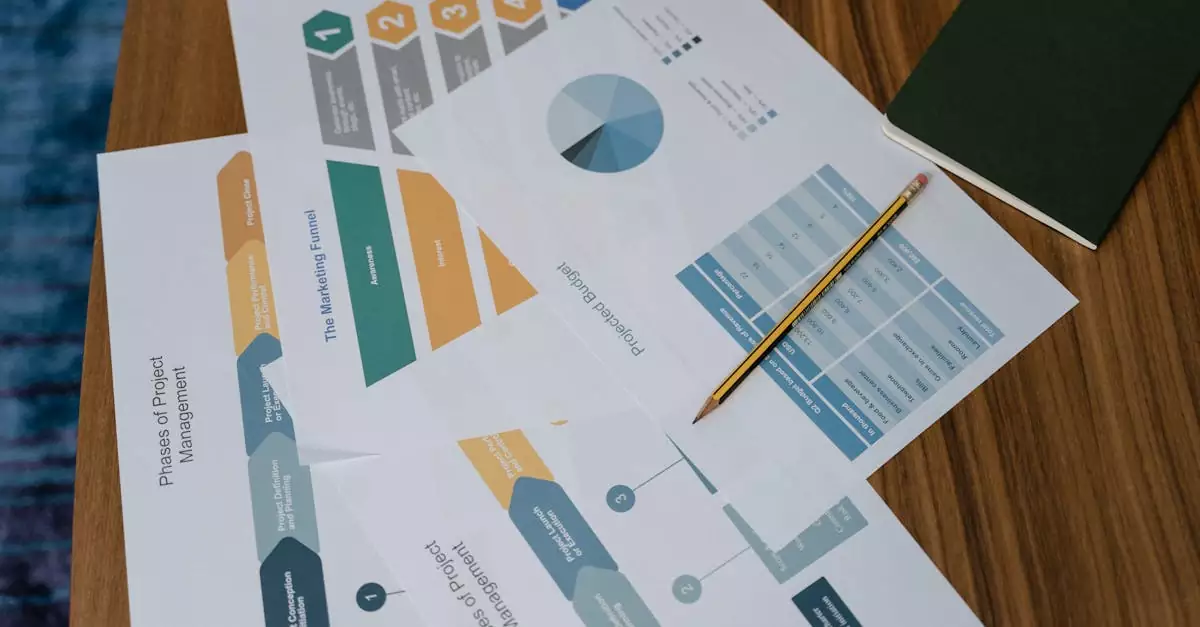
AI tools for project management are software platforms that integrate artificial intelligence technologies to automate, optimize, and streamline project workflows, helping teams manage tasks, deadlines, and resources more effectively.
Top AI Project Management Tools Revolutionizing Team Productivity
Choosing the right AI project management tools can transform how your team collaborates and executes projects. Here’s a curated list of the best AI-driven platforms in 2026, each with unique capabilities tailored to different project management styles and team requirements.
- Asana – Renowned for its intuitive interface, Asana now incorporates AI-powered task prioritization and predictive analytics to help teams focus on what matters most. Its AI features analyze project timelines and workload distribution, ensuring balanced team efforts. Learn more at asana.com.
- ClickUp – ClickUp leverages AI to automate task creation and status updates, reducing administrative overhead. Its AI assistant suggests task dependencies and flags potential bottlenecks before they impact deadlines.
- Monday.com – Monday.com integrates AI to enhance resource management and forecast project outcomes. Its data-driven insights allow project managers to adjust plans proactively for better results.
- Wrike – Wrike’s AI capabilities focus on risk detection and workload balancing. It alerts teams to overdue tasks and suggests task reallocations based on team capacity.
- Smartsheet – Smartsheet combines AI with robust spreadsheet-style project views, offering automated reporting and trend analysis to identify areas for improvement quickly.
Key AI Features Driving Smarter Project Management in 2026
AI project management tools come packed with features designed to automate mundane tasks and provide actionable insights. Understanding these features helps teams select tools that align with their workflows and project complexity.
- Task Prioritization: AI algorithms analyze deadlines, dependencies, and team workload to recommend which tasks require immediate attention, ensuring critical activities are never overlooked.
- Predictive Analytics: By evaluating historical project data, AI predicts potential risks, delays, and resource shortages, enabling proactive mitigation strategies.
- Automated Scheduling: AI streamlines scheduling by automatically assigning tasks based on team member availability and skill sets, optimizing productivity.
- Natural Language Processing (NLP): Some tools allow users to create and update tasks using conversational commands, simplifying project updates and collaboration.
- Real-Time Collaboration Insights: AI monitors communication patterns and project progress, flagging team members who may need support or highlighting areas where collaboration can improve.
- Resource Optimization: AI helps allocate resources efficiently by analyzing current workloads and project priorities, preventing burnout and maximizing output.
How to Choose the Right AI Tool for Your Project Management Needs
Selecting the best AI tools for project management requires a thoughtful approach that considers your team’s size, project complexity, and specific workflow requirements. Here are practical tips to guide your decision-making process:
- Assess Your Workflow: Understand your current project management processes. Do you need help with task automation, risk prediction, or resource allocation? Knowing your pain points helps narrow down tool capabilities.
- Scalability: Choose a platform that grows with your team. Whether you manage small projects or enterprise-level portfolios, the AI tool should adapt to increasing complexity.
- Integration Capabilities: Ensure the AI tool integrates seamlessly with your existing software stack—whether it’s communication apps, calendars, or CRM systems—to avoid workflow disruptions.
- User Experience: A user-friendly interface reduces the learning curve and encourages team adoption. Look for tools with intuitive dashboards and clear AI-driven insights.
- Customization: Every team operates differently. Select tools that allow customization of workflows, notifications, and AI parameters to best fit your unique needs.
- Security and Compliance: Prioritize tools that adhere to industry-standard security protocols and compliance requirements, especially when handling sensitive project data.
- Trial and Feedback: Leverage free trials and pilot programs to test AI features in real-world scenarios. Solicit feedback from your team to ensure the tool adds genuine value.
Common Pitfalls to Avoid When Implementing AI Project Management Tools
While AI tools offer significant advantages, improper implementation can lead to frustration and underutilization. Here are common mistakes to watch out for and how to prevent them:
- Over-Reliance on Automation: Relying solely on AI without human oversight can cause missed nuances in project dynamics. Use AI as a support tool, not a replacement for managerial judgment.
- Poor Integration: Failing to integrate AI tools with existing systems leads to fragmented workflows and data silos. Ensure compatibility before committing.
- Ignoring Team Training: Skipping comprehensive training results in low adoption rates. Invest time in educating your team on AI features and benefits.
- Neglecting Customization: Using default AI settings without tailoring them to your project needs can reduce effectiveness. Customize AI parameters to reflect your priorities.
- Inadequate Data Quality: AI predictions are only as good as the data fed into the system. Maintain accurate and up-to-date project information for reliable insights.
- Underestimating Change Management: Introducing AI tools changes workflows. Prepare your team for this shift through clear communication and support.
Real-World Use Cases: How Project Managers Benefit from AI Tools
Project managers across industries are harnessing AI tools to tackle common challenges and elevate project outcomes. Here are detailed examples demonstrating AI’s impact in practice:
- Software Development Teams: AI tools automate sprint planning by analyzing backlog priorities, team availability, and historical velocity, enabling project managers to create realistic timelines and reduce scope creep.
- Marketing Campaign Management: AI assists in task assignment by matching campaign tasks to team members’ strengths and bandwidth, ensuring deadlines are met without overloading individuals.
- Construction Projects: Predictive AI models forecast potential delays due to weather or supply chain issues, allowing managers to adjust schedules proactively and minimize downtime.
- Product Launch Coordination: AI-driven risk detection highlights dependencies that may cause bottlenecks, helping managers allocate resources to critical path activities.
- Remote Teams Collaboration: AI analyzes communication patterns to identify team members who may be isolated or overloaded, prompting timely interventions to maintain morale and productivity.
Balancing Advantages and Limitations: Pros and Cons of AI in Project Management
Understanding the strengths and potential drawbacks of AI tools helps teams set realistic expectations and maximize benefits.
| Pros | Cons |
|---|---|
| Automates repetitive tasks, freeing up time for strategic work | May require significant initial setup and customization |
| Provides data-driven insights for better decision-making | Quality of AI output depends heavily on data accuracy |
| Improves task prioritization to enhance team focus | Can lead to over-reliance, reducing human intuition |
| Enhances resource allocation and workload balancing | Potential integration challenges with existing tools |
| Supports proactive risk management through predictive analytics | Security concerns when handling sensitive project data |
Expert Insight: How AI Transforms Task Prioritization for Project Success
Based on testing and real-world scenarios, one of the most valuable contributions of AI tools for project management is their ability to intelligently prioritize tasks. Traditional prioritization often relies on manual judgment, which can be biased or inconsistent. AI algorithms analyze multiple factors such as deadlines, dependencies, team capacity, and historical performance to rank tasks dynamically.
This means project managers gain a constantly updated, objective view of what requires immediate attention, reducing the risk of critical tasks falling through the cracks. From practical experience, teams that adopt AI-driven prioritization report better focus, fewer missed deadlines, and improved morale as workloads are distributed more fairly and transparently.
Conclusion: Embracing AI Tools to Elevate Your Project Management in 2026
In today’s fast-paced and complex project environments, AI tools for project management are indispensable for teams aiming to deliver on time and within budget. By automating routine tasks, providing predictive insights, and enhancing task prioritization, these tools empower project managers to lead more effectively and respond proactively to challenges.
As you explore options like Asana, ClickUp, and Monday.com, remember to align your choice with your team’s workflow, scalability needs, and integration requirements. Avoid common pitfalls by investing in training and maintaining high-quality project data. When implemented thoughtfully, AI project management tools become powerful allies in driving project success and fostering a more productive, engaged team.

Frequently Asked Questions About AI Tools for Project Management
What are the main benefits of using AI project management tools?
AI project management tools automate repetitive tasks, improve task prioritization, predict risks, and optimize resource allocation. These benefits help teams increase efficiency, meet deadlines, and reduce manual errors, leading to smoother project execution.
Can AI tools integrate with existing project management software?
Yes, many AI project management tools offer seamless integration with popular platforms like Asana, Trello, and Jira. Integration ensures data consistency across systems and enhances workflow automation without disrupting existing processes.
Are AI tools suitable for small teams or only large enterprises?
AI tools are scalable and can benefit teams of all sizes. Small teams gain from automation and prioritization features, while larger enterprises leverage AI for managing complex portfolios and resource planning.
How does AI help with task prioritization in project management?
AI analyzes multiple variables such as deadlines, dependencies, and team workload to dynamically rank tasks. This objective prioritization helps project managers focus on critical activities, improving project outcomes.
What are common challenges when adopting AI project management tools?
Common challenges include data quality issues, integration difficulties, insufficient training, and over-reliance on automation. Addressing these through proper planning and support ensures successful AI adoption.
Is data security a concern with AI project management software?
Data security is crucial. Reputable AI tools implement strong encryption, access controls, and compliance with regulations to protect sensitive project information from unauthorized access.
How do AI project management tools improve team collaboration?
AI tools analyze communication patterns and task progress in real-time, identifying collaboration gaps or overloaded team members. This insight enables timely interventions to foster better teamwork and project alignment.